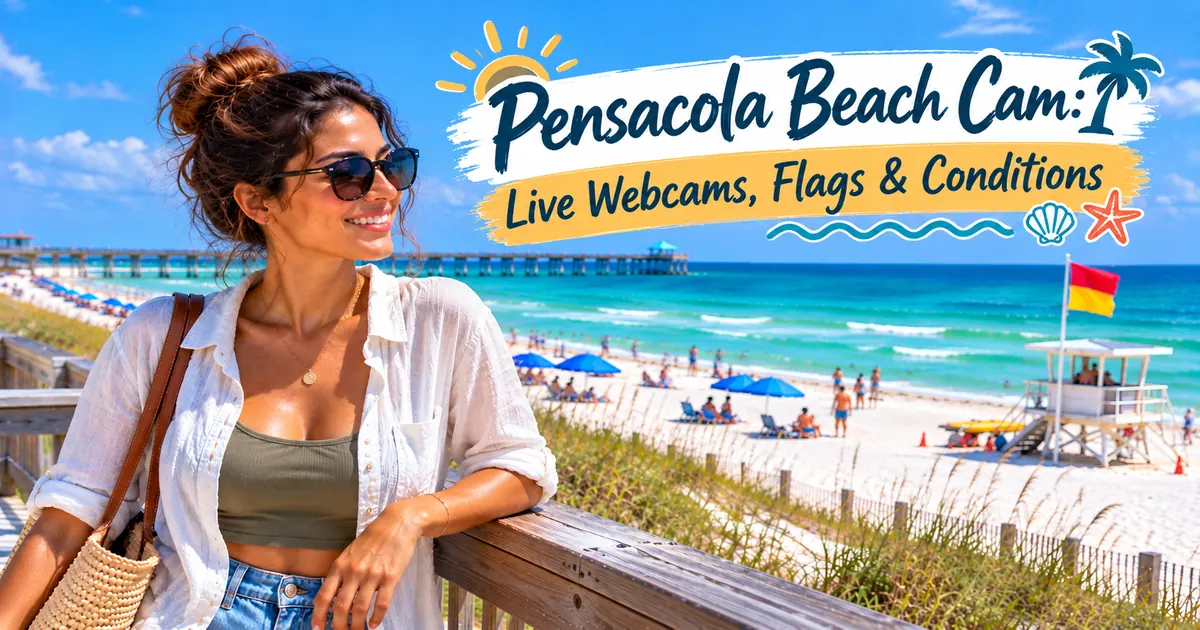
A Pensacola Beach cam is useful for three practical checks: whether the Gulf looks flat or rough, how crowded Casino Beach appears, and what the beach looks like before you drive out to Santa Rosa Island. What it can’t reliably do is tell you which flag is flying. This guide sorts the live cams by what they actually show, explains where each one points, and gives the official ways to check today’s flag, which is the question a camera can’t answer for you.
Before I drive out to Santa Rosa Island, I check the flag first and the cam second. The flag tells me the official hazard level and whether the Gulf is closed. The cam tells me what the beach actually looks like. Camera listings and status below are as their hosts showed them in early October 2026, and cams on this coast go offline often, so I’ve noted the one official outage notice I found.
Escambia County’s own Pensacola Beach page hosts a Casino Beach Camera, the first cam I’d check for conditions and crowds at the island’s core. The Santa Rosa Island Authority’s West, South, and East views tied to the Pensacola Beach Gulf Pier are listed by Visit Pensacola too, but the Authority’s current webcam page says its live webcams are unavailable because of pier renovations, so check each feed directly. Visit Pensacola also lists a Quietwater Beach cam on the Santa Rosa Sound side. For Fort Pickens, the National Park Service runs a still camera that updates every 15 minutes. Cams can’t reliably show today’s flag: text PBFLAGS to 888777 for Escambia County’s flag alerts, and the county’s Pensacola Beach page also posts tomorrow’s flag forecast. Under double red flags, swimming and wading in the Gulf are prohibited.
What a Beach Cam Can and Can’t Tell You
A live cam is the closest thing to standing on the boardwalk: you can see whether waves are breaking far out or right at the shoreline, whether the water looks clear or churned up, whether it’s raining, and roughly how full the beach is. What it can’t do well is read a flag. The flag poles are small in a wide frame, flags change during the day, and a feed can freeze on an old image without saying so.
That last point matters more than it sounds. When a feed stalls, the picture can look perfectly normal. I’d glance at the timestamp or watch for moving people or waves before trusting what I’m seeing.
The Pensacola Beach Cams, Sorted by What They Show
These are the cams hosted or listed by Escambia County, Visit Pensacola, the Santa Rosa Island Authority, and the National Park Service, plus the business-hosted cams that come up most often. I’d use the first five for a Pensacola Beach decision and the rest for side trips.
| Cam | Host | What it shows | Use it for |
|---|---|---|---|
| Casino Beach Camera | Escambia County (feed provided by the South Harbour Condominium Association) | Overlooks Casino Beach | First check for current conditions and crowding at the main beach core |
| West View | Santa Rosa Island Authority (also listed by Visit Pensacola) | Looking west along the Gulf from the Gulf Pier area at Casino Beach | Surf and crowds toward Fort Pickens Road |
| South View | Santa Rosa Island Authority | Looking south over the Gulf | Wave size and water color |
| East View | Santa Rosa Island Authority | Looking east along the Gulf from the pier area | The beach east of Casino Beach |
| Quietwater Beach | Listed by Visit Pensacola | Santa Rosa Sound and Quietwater Beach, behind the Pensacola Beach Boardwalk | The sound side on a rough Gulf day |
| Fort Pickens Area | National Park Service | Still camera in the Fort Pickens Area, pointing east toward the Campground Registration building and updating every 15 minutes | Weather at the west end before paying the park fee |
| Perdido Key | Listed by Visit Pensacola | Mirabella Beach on Perdido Key | Conditions out west near the Alabama line |
Visit Pensacola labels its Pensacola Beach cams West View, South View, East View, and Quietwater Beach. One index listing for the Quietwater page uses a different direction label, so trust the picture over the title.
The Casino Beach Camera
Escambia County hosts this one on its own Pensacola Beach page, next to two bridge traffic cameras. The county notes that the Casino Beach video is provided courtesy of the South Harbour Condominium Association and that the feed may be taken offline at any time. Because it sits on the official county page with the flag and beach conditions, it is the first cam I’d open: one stop for what the main beach looks like and what the lifeguards are reporting.
The Gulf Pier cams
The Santa Rosa Island Authority’s three pier-area views are among the main Pensacola Beach webcam options, with west, south, and east views over the Gulf. They are tied to the Pensacola Beach Gulf Pier, which runs 1,471 feet into the Gulf at Casino Beach, so they show the busiest stretch of the island. The Santa Rosa Island Authority’s current webcam page says its live webcams are unavailable because of Pensacola Beach Pier renovations. Individual East and West pages still exist, and Visit Pensacola still lists the three views, so I’d check the feeds directly rather than assume every view is live. The Pensacola Beach Gulf Pier website also embeds West and East camera views, although the Santa Rosa Island Authority currently says its live webcams are unavailable during pier renovations, so I’d still verify that the feed is actually moving before relying on it.
When the West View is working, it is the one I’d pick for a Fort Pickens day, because it looks down the beach in the direction you’ll drive. The East View is more useful if you’re staying in one of the hotels along Via de Luna and want to see your own stretch of sand.
The Quietwater Beach cam
This cam looks the other way, over Santa Rosa Sound from behind the Pensacola Beach Boardwalk. It is the one I’d open on a red-flag day. Quietwater is on the sound, not the Gulf, and the cam lets you see whether that side looks calmer before you change plans. It doesn’t change the rules: follow any posted conditions on the sound side too.
Business-hosted and aggregator cams
A number of hotels, restaurants, and camera networks also stream Pensacola Beach views, including feeds listed by EarthCam and by aggregator sites for the Hilton Pensacola Beach and other properties. Their directions, uptime, and labels change more often than the official cams, so I treat them as backups when the Authority’s views are down rather than as my first check.
Checking Today’s Pensacola Beach Flag
For the flag, I skip the camera and go to Escambia County’s own channels. The county lifeguard program offers text alerts: text PBFLAGS to 888777 to get a message each time the beach warning flags change. The Pensacola Beach Lifeguards also post on Facebook at @PensacolaBeachLifeguards. On the beach, the county flies the flags south of the Bob Sikes Bridge toll area, next to the Casino Beach Pavilion, on the Gulf Fishing Pier, one mile east of Portofino Island Resort, at Park East and Park West, and at every lifeguard tower.
| Flag | Escambia County meaning |
|---|---|
| Green | Generally calm surf and currents. Swim with usual caution. |
| Yellow | Moderate surf and/or currents. Swim with extra caution. |
| Red | High surf and/or strong currents. |
| Double red | Swimming and wading in the Gulf are prohibited. |
| Purple | Jellyfish, Portuguese man o’ war, or other stinging marine life are present. Use caution in the water and along the shoreline. |
Double red has meant a closed Gulf here since Escambia County revised its flag system in June 2024 to match other Gulf agencies. The county’s beach laws also say no one may re-enter the Gulf within 24 hours of being rescued from it. A single red flag is not a closure, but it means high surf and/or strong currents, and swimming is not recommended. I’d treat that as a reason to stay out of the Gulf rather than assume being near a lifeguard makes the conditions safe.
When lifeguards are on the towers
For 2026, Pensacola Beach lifeguards returned to Casino Beach on February 28, with staffing expanding as summer approached. Escambia County says the towers are scheduled to remain staffed through the end of October, although the number of staffed locations changes with the season and staffing levels. After tower season ends, check the county’s current coverage before assuming a staffed tower will be available.
How I’d Use the Cams Before a Beach Day
My order is simple. First I check the current flag, because that tells me the official hazard level and whether the Gulf is closed. Then, if the Santa Rosa Island Authority feeds are live again, I’d use the South or West View for wave size and water clarity. While those feeds are unavailable, I’d stay with the Casino Beach Camera and use Quietwater or Fort Pickens for additional context. If the Gulf looks rough, the Quietwater cam shows whether the sound side is a reasonable fallback. Last, a quick look at how full Casino Beach is, and if the frame is packed at midday, I’d expect a harder search for parking near the core.
If I’m heading to Fort Pickens, I’d add the National Park Service still image, because it shows the west end directly and the park charges an entrance fee once you pass the gate. The Fort Pickens cam is also a quick way to see storm weather at that end of the island, where the road has closed after past storms. For a wider plan that includes downtown, the base, and Perdido Key, our things to do in Pensacola guide sorts the area by side of town.
When the Pensacola Beach Cam Is Down
Beach cams can go offline during construction, weather problems, maintenance, or when a stream stops updating. When a view is dark, I’d go to the county’s Casino Beach Camera first, then Quietwater Beach, the Fort Pickens Area camera, or a business-hosted feed. I’d move the Santa Rosa Island Authority’s pier views back into the rotation once its webcam page no longer shows the renovation outage. If none load, the flag alerts and the NWS Surf Zone Forecast still give you the official hazard level, rip-current risk, surf conditions, and the information that matters most for deciding whether to stay out of the Gulf.
Frequently Asked Questions
Yes. Escambia County hosts a free Casino Beach Camera on its Pensacola Beach page, and Visit Pensacola lists the Santa Rosa Island Authority’s West, South, and East views of the Gulf Pier area plus a Quietwater Beach cam on Santa Rosa Sound. The Authority’s current webcam page says its live webcams are unavailable because of pier renovations, so check each feed directly.
Not reliably. Flags are small in a wide camera frame and can change during the day. The official way is Escambia County’s flag alerts: text PBFLAGS to 888777, check Escambia County’s Pensacola Beach page for current flag conditions, or follow the Pensacola Beach Lifeguards on Facebook at @PensacolaBeachLifeguards.
Swimming and wading in the Gulf are prohibited under double red flags in Escambia County. Red means high surf and/or strong currents, yellow means moderate surf and/or currents, green means generally calm conditions, and purple means stinging marine life is present.
Yes. Visit Pensacola lists a Quietwater Beach cam behind the Pensacola Beach Boardwalk that overlooks Santa Rosa Sound. It is the useful one to check on a rough Gulf day, though posted conditions on the sound side still apply.
Yes. The National Park Service runs a still camera in the Fort Pickens Area, pointing east toward the Campground Registration building and updating every 15 minutes, rather than live video.
Yes. Escambia County posts a tomorrow’s flag forecast with current beach conditions on its Pensacola Beach page. It is a forecast, not a guarantee, because the posted flag can change with surf and weather. The National Weather Service in Mobile’s Surf Zone Forecast adds rip current risk and surf conditions for the Escambia County coast.

Maya Solana is a Florida native and the founder of NapLorida, a hyper-local Florida travel guide. Born and raised in Tampa, she writes about the Florida locals actually live: Cuban sandwich counters, quiet Gulf beaches, suburb hotels and day trips from Tampa Bay. Every guide is built from real distances, real drive times and honest pros and cons, so you can plan the trip without guessing.
More from Beaches

Banana Boat Rides Destin, FL: Prices, Ages & Local Guide
By Maya Solana · NapLorida.com Of all the water sports around Destin, a banana boat ride asks the least of you. As...

Helicopter Rides in Destin: Tours, Prices & Local Advice
By Maya Solana · NapLorida.com Spend enough time on Destin’s beach during the busy season and there is a good chance you’ll...

Pensacola Seafood Festival 2027: Date Outlook & Parking
By Maya Solana · NapLorida.com The Pensacola Seafood Festival is Fiesta Pensacola’s free, three-day festival in downtown Pensacola’s historic district, spread across...